
Automate Your Google Flow Workflows
Build prompt queues, automate submissions, and download generated assets instantly. Power up your AI image generation workflow.
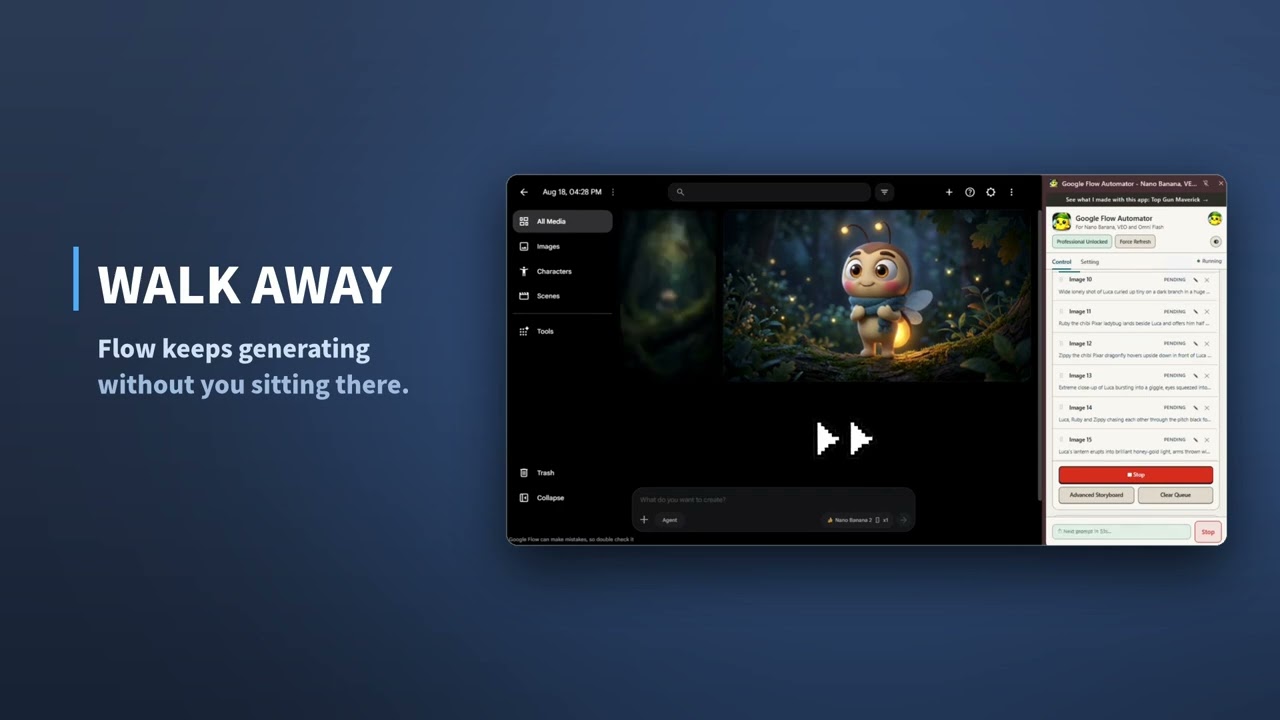
See Google Flow Automator running a full prompt queue.
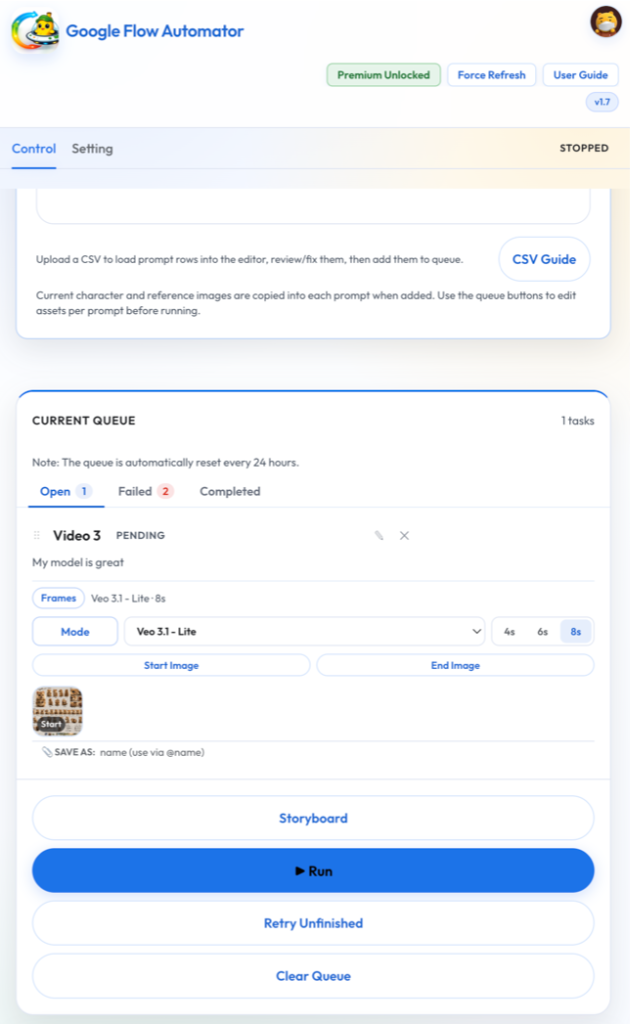
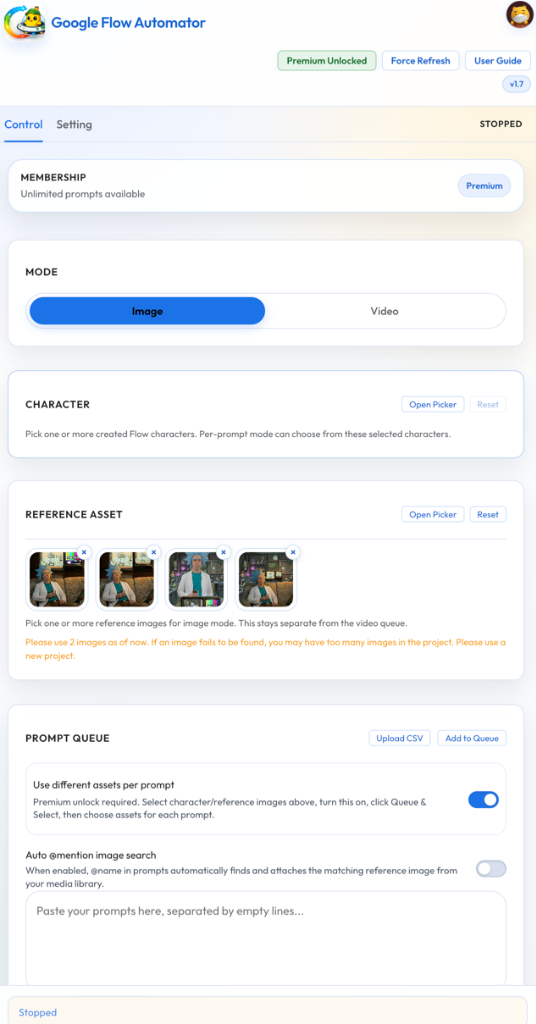
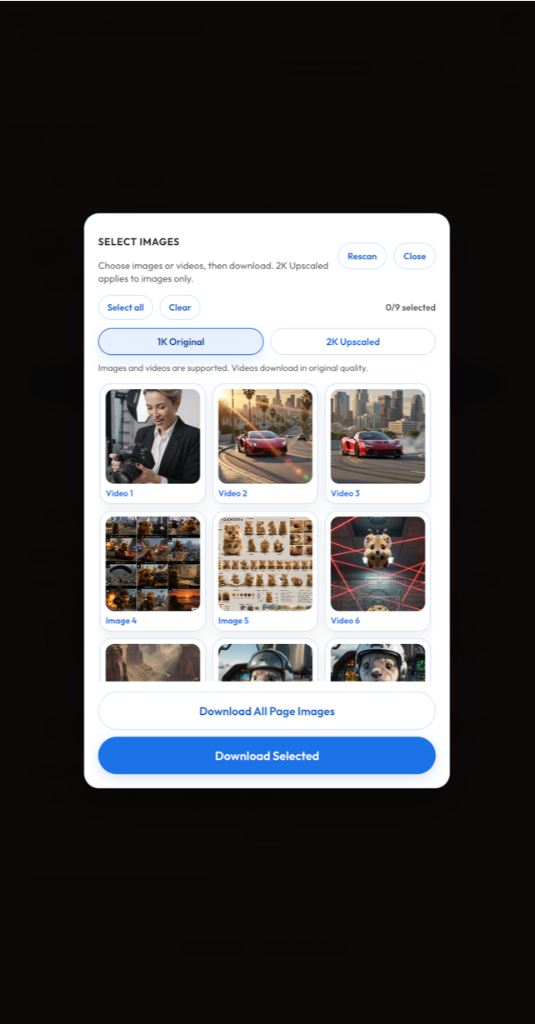
Make the whole video on your own PC — no API key, no extra cost.
GFA Studio takes what you generated in Google Flow and builds the finished video in one click: scenes, narration, captions, motion and background music. The AI runs on your computer, so there is nothing to sign up for and nothing extra to pay.
Windows only during the beta, and local AI needs a capable PC — check the minimum specification before installing.
Core Power
Key Features
Queue Unlimited Prompts
Build and run as many prompts as you need without artificial constraints or performance throttling.
Sequential Prompt Execution
Automatically run prompts in sequence, submitting new scenes as previous runs complete.
CSV Prompt Queue Import
Easily import complex prompt sets and workflow lists directly from CSV spreadsheets.
Use Reference Images
Enhance prompts by referencing existing external image setups to direct overall aesthetic style.
Use Character Reference Images
Maintain strong consistency across scenes with dedicated character asset references.
Delay & Retry Configuration
Configure custom execution delays and intelligent retry behaviors to bypass sudden network drops.
Auto-Download Images
Automatically download generated image assets directly to your local computer in real time.
1K & 2K Upscaled Downloads
Directly download eligible high-resolution 1K and 2K upscaled images when generated.
Chrome & Edge Compatibility
Works flawlessly in both Google Chrome and Microsoft Edge browser environments.
Why Use Google Flow Automator?
- ✓ Run hundreds of prompts without constant monitoring
- ✓ Reduce repetitive clicking and manual queue management
- ✓ Organize prompt workflows more efficiently
- ✓ Save time during large image generation projects
- ✓ Keep generations running automatically while you focus on other work
Login & Privacy
Firebase sign-in secures membership, quota, support, and usage measurement. The first panel open and first Run are measured once per day with the active membership category using a random analytics identifier.
Detailed analytics is enabled by default and can be turned off in Settings. When enabled, it adds approximate country, device/browser information, extension version, workflow type, and privacy-safe diagnostics. Prompts, images, page URLs/content, email, user ID, and authentication tokens are not sent to analytics. Read the full Privacy Policy.
Starter
Essential automation tools for personal experimentation.
- 30 prompts per day
- CSV import
- Google Sheets import
- 1K auto-download
Premium
Request upgrade via comments for advanced generation power.
- Everything in Starter
- Reference images up to 3
- Characters up to 2
- Different assets per prompt
- 2K upscaled download (beta)
- Storyboard planning
Professional
The ultimate automation pack for content teams.
- Everything in Premium
- Unlimited reference images and characters
- Video workflows and Image/Video mode switching
- Batch downloader with 2K/4K upscales
- Dark Mode and priority beta access
Got Questions?
Frequently Asked Questions
You can request a free upgrade to the Premium tier by visiting our BuyMeACoffee support page or leaving a feedback comment with your request. Our admin team validates and applies upgrades to user accounts securely through Firebase gating.
Each upgrade request is reviewed manually by our project administrators to prevent script abuse. This verification process typically takes anywhere between 12 to 24 hours. You will see your tier update immediately inside your extension panel once approved.
Prompt queues, reference assets, storyboards, and execution settings are stored locally in Chrome. The first panel open and first Run are measured once per day with membership category using a random analytics identifier. Detailed analytics is enabled by default and can be turned off in Settings; when enabled it additionally sends approximate country, device/browser information, extension version, workflow type, and privacy-safe diagnostics. Prompts, images, page URLs/content, email, user ID, and authentication tokens are not sent to analytics. We do not sell personal data or generated assets. Read the full Privacy Policy.
Yes. Video generation workflows (VEO 3.1, Omni Flash, Ingredients to Video, and Frames to Video) are fully supported under the Professional membership tier in v2.0.
Changelog